For UK contractors with teams on site
Project cost in real time.
Every hour and every expense lands on the project the day it happens. Not weeks later, when the paperwork catches up.
Labour, materials, plant and subcontractors by project, for today, this week and to date. Approved daily, straight into your books, with who is on which site.
Two months free, full access. No card, no upfront payment. Walk away with your data.
55 seconds. The cost arriving on a project, from the first clock-in to the approved variation. Example project and figures.
- UK StartUp Awards 2026 finalist, Construction and Building Services
- Built by a founder with 27 years in fit-out
- Free app for your team on iOS and Android
Month end is too late to fix a project.
By the time the report lands, the labour is spent, the materials are on site and any overrun is already in the numbers.
The number is late because it is written up in the office, from paperwork that arrives weeks after the work. UrProject records every cost on the day it happens, so you see it while you can still do something about it.
How the cost gets there
Three doors into one number. Nobody keys anything in at the office.
Labour
Clock in. Clock out. Costed the same day.
Your team clocks in on site from the free app and clocks out at the end of the day. Hours are approved daily and costed on the project at the rate you agreed, with expenses and travel claimed from the same app.
Materials, plant and subcontractors
Drop the invoice in. It lands on the project, coded.
Drop a file onto the project or forward the email. The supplier, the amounts, the VAT treatment and the cost code are read for you, and the order is raised against the project, so your next purchase order carries the running total.
Changes
Price the variation. The client approves on a link.
Raise an RFI and get it answered on a link. Price a variation by cost code, send it, and when the client approves the project value and the budget move with it.
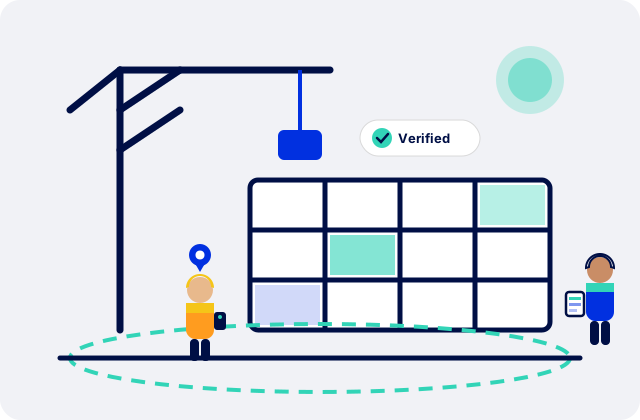
Geofenced clock-ins, the photo of the receipt and the invoice itself sit behind every figure. That is the evidence behind the number, not the product.
What you see, every day
Cost per project
Labour, materials, plant and subcontractors on each project, for today, this week and to date.
Budget, committed and actual by cost code
What was priced, what is on order and what has landed, line by line, with the margin per project.
Who is working where
Every operative, every site, with the time they arrived. Late and missing flags as they happen.
Where the money goes
Cost per worker, travel distance and expenses claimed, in one view.
Proof behind every number
Approved timesheets, daily site logs, photos and the invoice itself sit behind each figure, ready if a week is questioned.
CIS and VAT done properly
CIS deductions and statements, domestic reverse charge on the right invoices, retention held and released.
Reports you can open any morning and trust
Every report reads the same approved figures as the screen, so there is nothing to reconcile and nothing to wait for.
Approve today and it is in tomorrow morning's report. Export a PDF proof pack per project, or a CSV for payroll.
Project cost, today, this week and to date
Cost per worker
Daily log with photos
RFI and variation registers
CIS statements
Margin per project
Connected to your books
Approved bills and credit notes go into QuickBooks Online or Xero as drafts, coded, with the project tag, the right VAT code and the invoice attached. Paid status comes back.
Your bookkeeper gets coded copies daily. Nothing is keyed twice, and the project figure and the ledger stop disagreeing.
How much labour have you spent since the last report?
Put in your team size and day rates. See the labour cost that builds up before the month-end report lands.
Free for your workforce, and useful to them
Every worker gets the app and a login at no cost. They upload their documents once, and their ID, right to work and cards are checked by a person.
They get weekly and monthly payslips they can use for their tax return, and a record of their work that stays theirs.
How the worker app worksNot built in a weekend
Built by a fit-out contractor, on live projects, over ten years, by people who know the pain of finding out the cost too late. Tested on our own sites before anything ships.
Ethiks Site Services
Fit-out and interiors. Retail projects across the UK. Using UrProject on live projects for the past six months.
What they see every day: labour and expenses on every store, who is on which site, and timesheets approved from the office.
We run fit-out teams on retail projects all over the UK and every one of those projects goes through UrProject. Timesheet approvals that used to eat a Friday afternoon now take twenty minutes, every hour ties back to a clock-in, and with the workers uploading their own expenses, weekly payroll is the easiest it has ever been.
Ethiks Site Services is a fit-out contractor owned by the UrProject founder. Ten years of the same problems on its projects are why UrProject exists.
Read the Ethiks storyBuilt for UK GDPR. Hosted on AWS. Payments by Stripe. Security and data
From £99 a month. Project cost in real time on every plan.
£99 a month for up to 5 workers, £199 for up to 10, then £20 a worker. Office users are not charged. Two months free first, no card.

15 minutes with the person who built it
Rayno De Kock spent 27 years in fit-out, from the tools to leading major projects.
Bring one of your projects. You will see how its cost would look, in real time.
Book a 15-minute demoQuestions owners ask
Software that shows what every project is costing in real time: labour, materials, plant and subcontractors on each project, approved daily, with who is working where and when.
Approved hours at each worker’s agreed rate, plus approved expenses and travel, plus every supplier invoice, order and variation on the project. Costs are approved daily, so the figure is up to date every morning.
Yes. Drop a supplier invoice or a hire invoice onto the project, or forward the email, and it lands coded to the right cost code with the order raised or matched against it.
Yes. Approved bills go into QuickBooks Online or Xero as drafts, coded, with the project tag, the right VAT code and the invoice attached. Paid status comes back. Nothing is keyed twice.
Yes. Enter a subcontractor’s UTR and the deduction rate comes back from HMRC. Subcontract invoices carry the CIS split, deduction and payable, and the CIS statement is ready for HMRC.
No. Clock-ins are the evidence behind the numbers. What you get is the cost of each project, in real time.
The app is free for them and their payslips are in it, which gives them a reason to open it.
Add your projects and rates, invite your team, connect your books. The first cost figure appears as soon as the first worker clocks out or the first invoice is dropped in, usually on day one.
No. Location is checked against the site boundary when someone clocks in and out.
You pick the plan that suits your team, from £99 a month, inside your account. Your data exports either way.
No. UrProject is software: you keep your own workforce, your own rates and your own records. Extra hands is the part of UrProject that lets you book self-employed tradespeople direct, at a rate agreed before they start, with no agency in the middle, and their hours land in the same project view as your own team.
Try it on your projects for two months
Full access. No card, no upfront payment.
If it does not show you what your projects are costing, walk away and take your data with you.