Every cost on every project, as it happens.
Labour from the clock-in, materials and plant from the invoice, changes from the variation the client approved. Costed the same day, against budget by cost code, and straight into your books.
Two months free, full access. No card, no upfront payment. Walk away with your data.
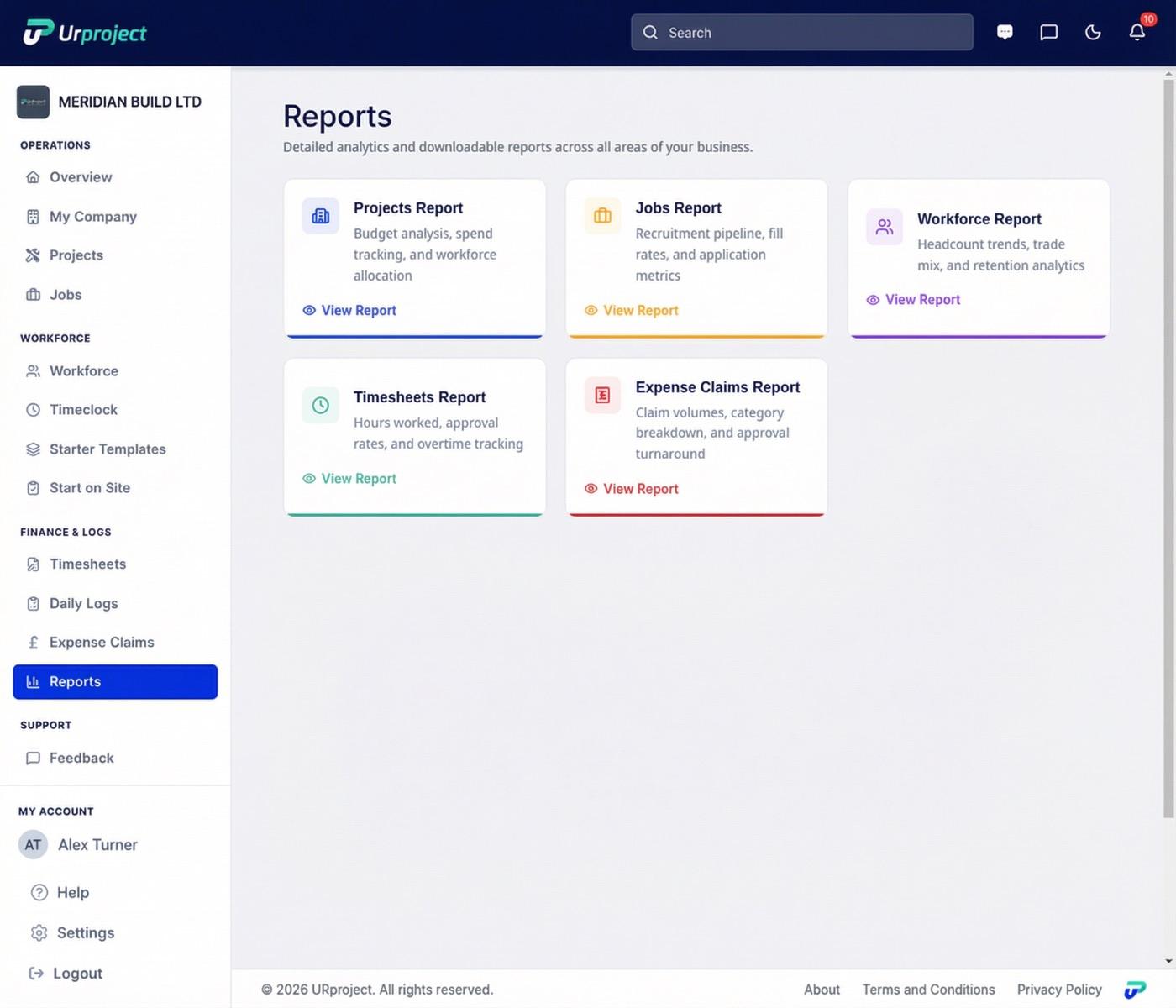
The month-end report, or every day
Without UrProject
- You find out what a project cost when the report lands.
- Three WhatsApp groups to see who turned up.
- Timesheets that disagree with the gate log.
- Invoices in inboxes, receipts in vans, orders in someone’s head.
- Variations agreed on the phone and never priced.
- Cards checked once, then forgotten.
With UrProject
- The cost of each project on screen, in real time.
- Who is on which site by 8am.
- Every hour tied to a clock-in, so there is little to argue about.
- Every invoice on the project the day it arrives, coded, with the order against it.
- Variations priced by cost code and approved by the client on a link.
- Expiry alerts chase the paperwork for you.
Cost per project, in real time
Approved hours are costed at the rate you agreed. Expenses and travel are added as your team claims them. Invoices, orders and variations land on the same project the day they happen.
You see each project for today, this week and to date: labour, materials, plant and subcontractors, against the budget by cost code, with the margin.
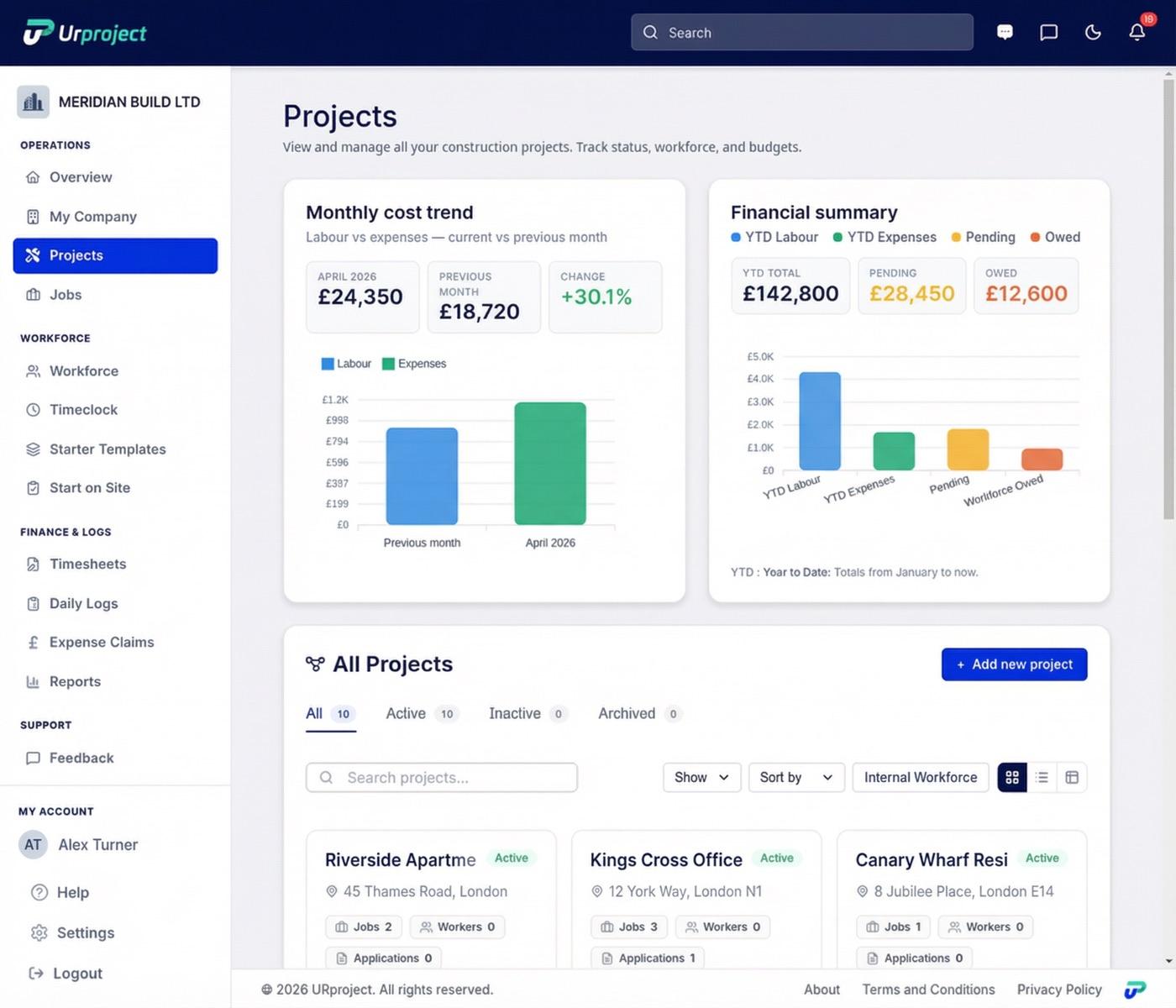
Approved daily, on the report the next morning
Your team submits each day from the app. You approve the same day, from your phone if you like, and weekly approval is still there if you prefer it.
Once approved, the cost is on the project and on every report. Nothing is rekeyed and nothing waits for Friday.
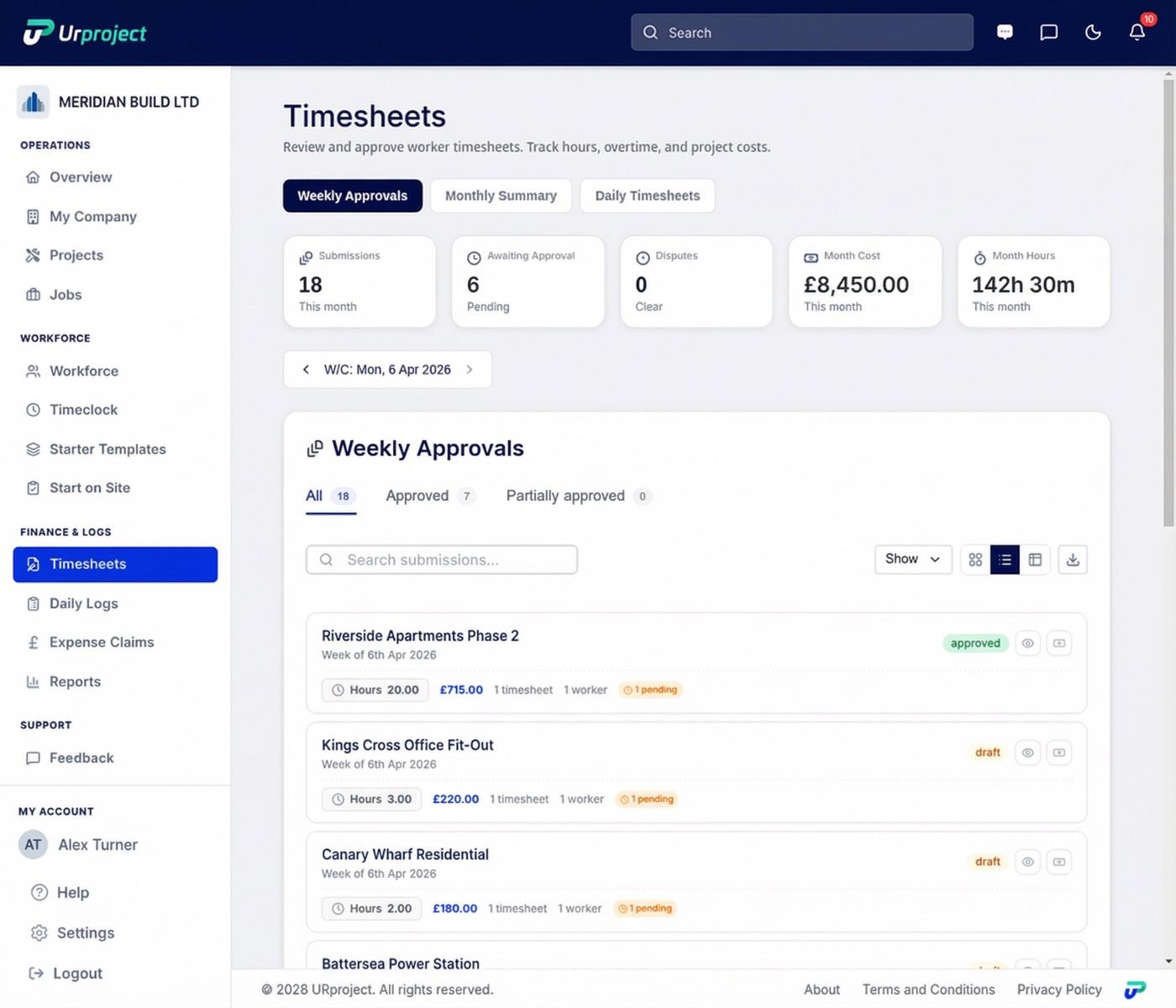
Every invoice on the project, coded, the day it arrives
Drop a supplier, hire or subcontract invoice onto the project, or forward the email to the project inbox. The supplier, the amounts, the VAT treatment and the cost code are read for you and queued for a quick check.
A cost with no purchase order is captured too: a receipt photo, a screenshot of an online order, a forwarded email. Nothing waits in a van or an inbox.
Orders, committed cost and margin per project
Raise purchase, subcontract and hire orders from the project. The supplier acknowledges on a link, delivery notes are matched to the order, and the invoice is matched to both.
Budget, committed, actual, forecast and remaining per cost code, and the margin per project, all from the same approved figures.
Variations and RFIs, approved on a link
Raise an RFI, send it, and get it answered on a link. Price a variation by cost code and send it the same way. When the client approves, the project value and the budget move with it.
The register shows what was raised, what was answered, what was approved and what it was worth, so nothing agreed on the phone goes unpriced.
CIS, VAT and retention done properly
Subcontract invoices carry the CIS split, the deduction and the payable, and route to the ledger correctly. Domestic reverse charge applies to the right invoices. Retention is held and released on the project.
The CIS statement is ready for HMRC. The monthly CVR reads the same figures as everything else.
Connected to QuickBooks and Xero
Approved bills and credit notes go into QuickBooks Online or Xero as drafts, coded, with the project tag, the right VAT code and the invoice attached. Paid status comes back and sales invoices are read back.
Your bookkeeper maps the accounts once, in read-only mode first. Then nothing is keyed twice.
Every project documented, every cost explained
Labour, attendance, expenses, invoices, daily logs and photos roll into one report that reads the same approved figures as the screen. Export it as a PDF proof pack your client can hold.
Timesheets that add up
Your team submits daily from the app. Each hour shows the clock-in behind it, so there is little to argue about.
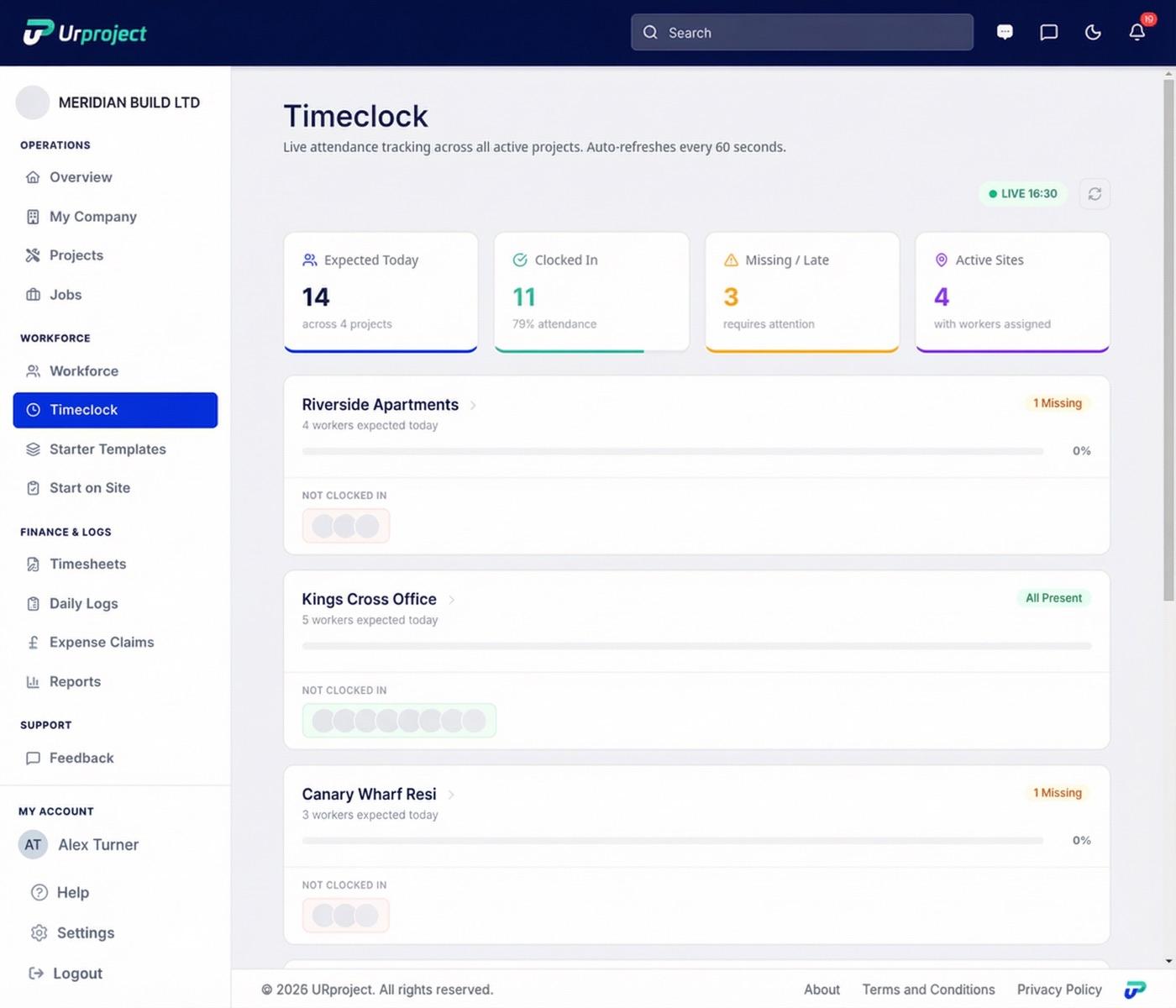
Who is working where and when
Every operative, every site, with the time they arrived. Late and missing flags as they happen.
Geofenced clock-ins confirm they were on site. That is the evidence behind every number, not the point of the product.
Daily site logs and photos
Your site team logs the day and adds photos from the app. When a week is questioned, the record is already there.
Built for everyone on the project
Owner or MD
What every project is costing, in real time, from your phone.
Operations and project managers
Who is on which site today, without ringing round.
QS and commercial
Budget, committed and actual by cost code, variations priced and approved, CIS right.
Office and payroll
Approved timesheets exported in one go. Coded bills in QuickBooks or Xero, nothing keyed twice.
Operatives
A free app to log the day, submit hours, claim expenses and get payslips.
Your own numbers, across every main contractor
Your main contractor's system shows them who is on their site. UrProject shows you what every project is costing you, whoever the main contractor is.
Questions
Yes. UrProject costs labour and expenses to each project as the work happens, which is job costing done every day instead of at month end. It does not replace your accounts package, which shows what has been paid.
Yes. Supplier, hire and subcontract invoices land on the project coded to the right cost code, with the order raised or matched against them, so committed cost and invoiced cost sit next to labour on the same reports.
It still lands on the project. Drop it in or forward the email, it is read and coded, and the order is raised against the project from it, so the next purchase order to that supplier carries the running total.
Price the variation by cost code and send it. The client approves on a link, and the project value and the budget move the moment they do. RFIs run the same way: raised, sent, answered on a link, all on the register.
Yes. Subcontract invoices carry the CIS split, the deduction and the payable, CIS routes to the ledger correctly, and the CIS statement is ready for HMRC. Retention is held and released on the project.
QuickBooks Online and Xero. Approved bills and credit notes go in as drafts, coded, with the project tag, the right VAT code and the invoice attached. Paid status comes back and sales invoices are read back.
No. Daily approval keeps the figure a day old at most. Weekly approval is there if that suits you better.

15 minutes with the person who built it
Rayno De Kock spent 27 years in fit-out, from the tools to leading major projects.
Bring one of your projects. You will see how its cost would look, in real time.
Book a 15-minute demoSee your next project's cost from day one
Full access. No card, no upfront payment.
If it does not show you what your projects are costing, walk away and take your data with you.